Section outline
-
-

-
Students mustMark as done
Coherence Principle
Exclude irrelevant material
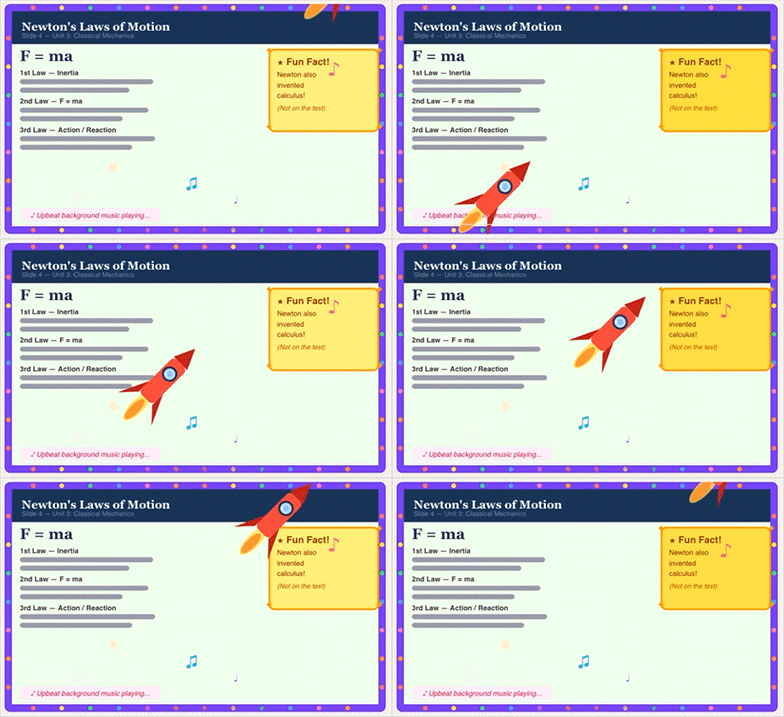
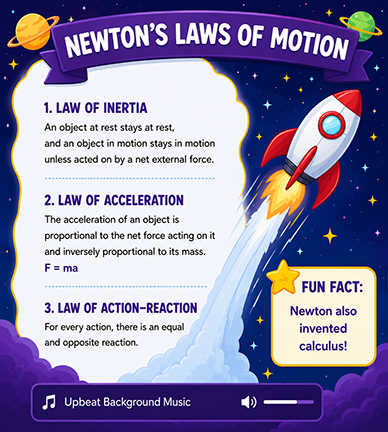
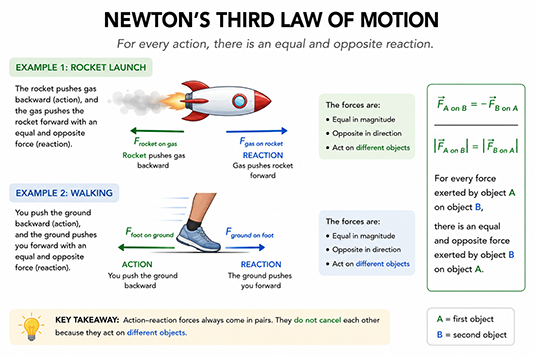
Definition:People learn better when extraneous material — interesting but irrelevant words, pictures, and sounds — is excluded rather than included. Irrelevant material competes for limited working memory resources. Even engaging additions (background music, fun facts) can disrupt the coherence of the mental model being built.Example 1: A lesson on Newton's Laws includes an animated rocket ship flying across the screen, upbeat background music, a sidebar with a 'Fun Fact: Newton also invented calculus!', and decorative borders around every slide.
Why it fails: Each decorative addition draws attention and processing resources away from the core content. The fun fact and music are unrelated to the learning objective and create extraneous cognitive load.
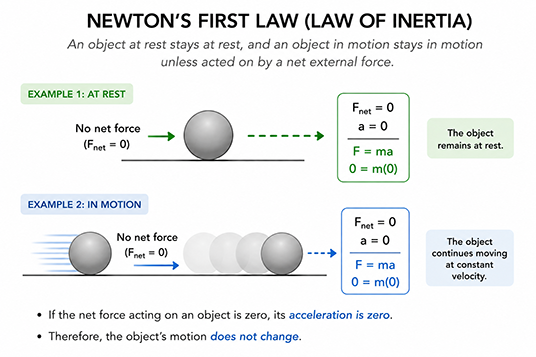
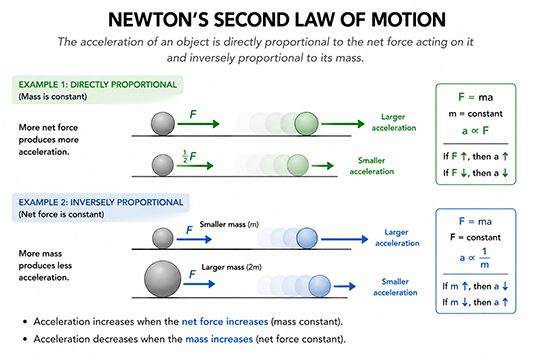
Example 2: The next slides still look engaging without adding extra decorations. Every element on screen directly serves the learning objective. Working memory is fully available for processing the essential material.
-
Students mustMark as done
Signaling Principle
Highlight the organization and key ideas
Definition: People learn better when cues that highlight the organization and importance of the material are added.Why It WorksSignals guide attention toward essential elements and make the structure of content visible, reducing the effort needed to identify what to learn.
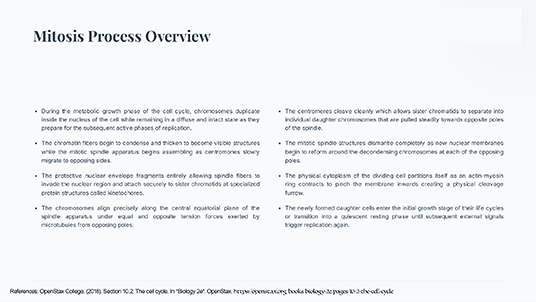
Example: A slide about the steps of cell division shows eight paragraphs of equal size, same font weight, same color, no numbering, no headings — just a wall of text describing each phase of mitosis in sequence.
Why it fails: Without visual hierarchy, learners must read everything with equal attention to identify what is important. There is no guide to the organization, increasing cognitive effort and reducing retention.
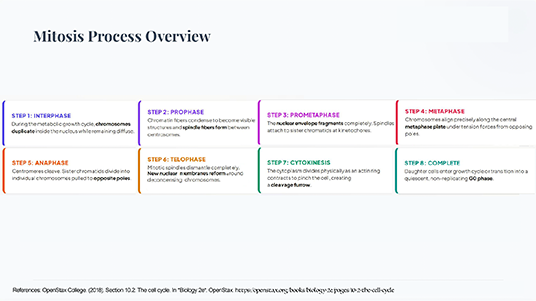
On the second slide: Signals (numbers, bold, color, headers) tell learners where to focus and reveal the structure. Attention is allocated efficiently to the most important elements.
-
Students mustMark as done
Redundancy Principle
Don't add on-screen text to narrated animation
Definition: People learn better from animation and narration than from animation, narration, and on-screen text simultaneously.When narration already delivers the verbal message, adding identical printed text forces learners to reconcile two streams of identical information, wasting cognitive resources.
When the verbal message is delivered once via audio, the visual channel is devoted entirely to the animation. Note: subtitles are still appropriate for accessibility — the issue is redundant text for proficient learners in standard contexts.
-
Students mustMark as done
Spatial Contiguity Principle
Place related text and images near each other
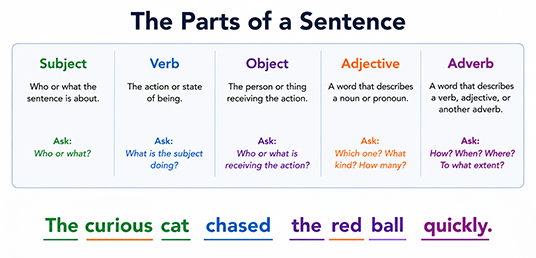
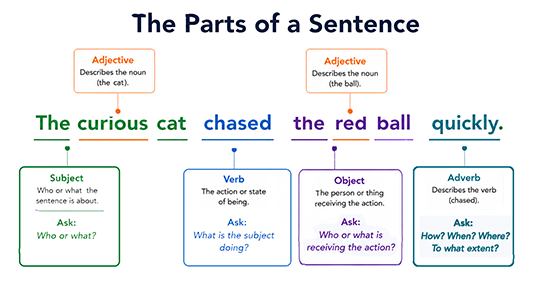
Definition: People learn better when corresponding words and pictures are presented near each other rather than far apart on the page or screen.Why It Works: When text is placed far from the image it describes, learners waste cognitive resources scanning and matching. Proximity eliminates this split-attention effect.Example 1:
Modified version:
Example 2:
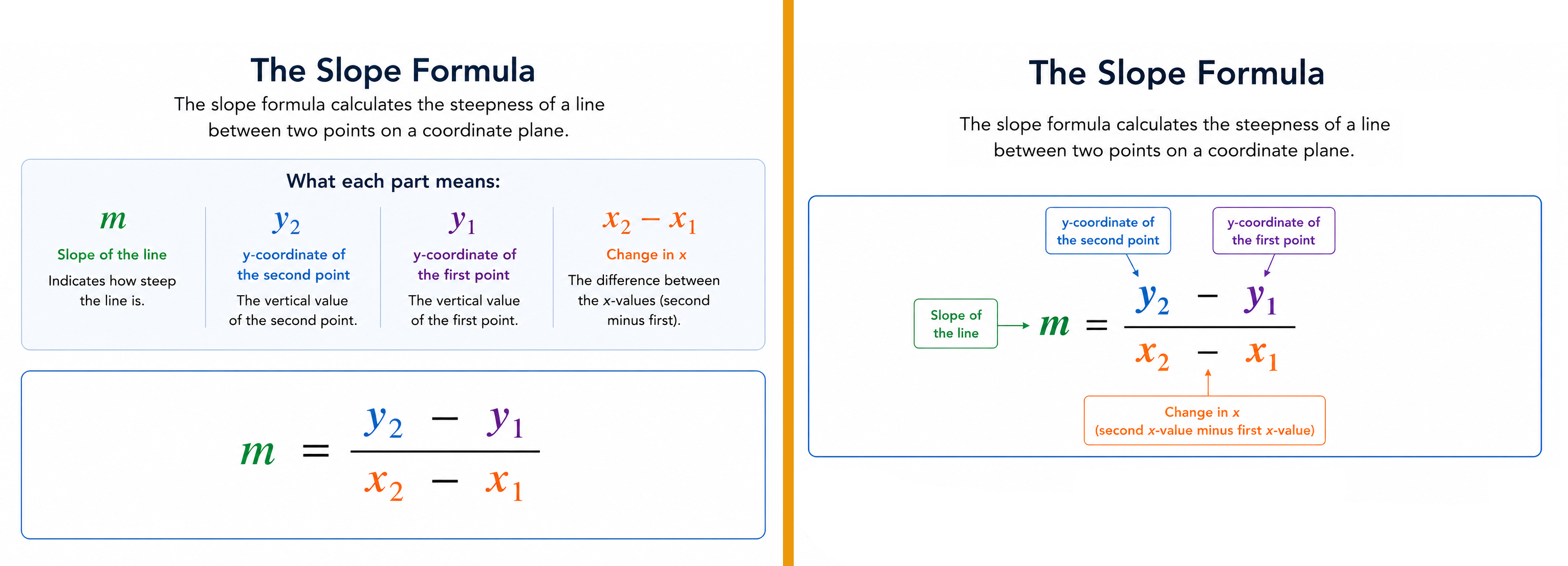
Example 3: Move the orange slider to reveal the modified version.
-
Students mustMark as done
Temporal Contiguity Principle
Present narration and animation simultaneously.
Definition:People learn better when corresponding narration and animation are presented at the same time rather than successively.
Why It Works:When audio and visuals are separated in time, learners must hold one in working memory while waiting for the other. Simultaneous presentation allows immediate integration.
-

-
Students mustMark as done
Segmenting Principle
Let learners control the pace
DefinitionPeople learn better from a multimedia lesson presented in learner-paced segments than as a continuous unit.
Why It WorksComplex processes can overwhelm working memory when presented all at once. Segmenting allows learners to consolidate each chunk before moving on, reducing cognitive overload.
In this example we will see how to address this situation:
Original Video (Violates the Segmenting Principle)
Topic: New Employee Onboarding
Video Length: 20 minutes
The video covers:
- Company Overview
- Organizational Structure
- Employee Benefits
- HR Policies
- Time Reporting
- Vacation Requests
- IT Security
- Workplace Safety

The entire presentation plays continuously with no pauses, no navigation controls, and no opportunity for learners to review sections before moving on.
Learners must process a large amount of information without breaks. As topics accumulate, working memory becomes overloaded and retention decreases.
Modified Option 1: Chapter-Based Video
How It Works
The 20-minute video is divided into eight short chapters.
Menu Example:
- Chapter 1: Company Overview (2 min)
- Chapter 2: Organizational Structure (2 min)
- Chapter 3: Benefits (3 min)
- Chapter 4: HR Policies (2 min)
- Chapter 5: Time Reporting (3 min)
- Chapter 6: Vacation Requests (2 min)
- Chapter 7: IT Security (3 min)
- Chapter 8: Workplace Safety (3 min)

Learners choose when to start the next chapter. Information is divided into meaningful chunks, allowing learners to process one topic before moving to the next.
This option can be created using interactive videos with points marked for pauses.
Modified option 2: Microlearning Series
How It Works
Instead of one long video, the content becomes a series of standalone microlearning modules.
Module 1: Welcome to the Company (3 min)
Module 2: Understanding Your Benefits (4 min)
Module 3: Managing Time Off (3 min)
Module 4: Staying Secure Online (4 min)
Module 5: Workplace Safety Essentials (4 min)
Each module can be completed independently. The learner focuses on one objective at a time. This is often the strongest implementation of segmenting because each lesson becomes a self-contained learning experience.
These modified versions can be combined with knowledge checks or exercises.

-
Students mustMark as done
Pre-training Principle
Teach component names and behaviors first
DefinitionPeople learn better from a multimedia lesson when they know the names and characteristics of the main concepts beforehand.
Why It WorksWithout prior knowledge of component names and behaviors, learners must simultaneously learn vocabulary AND understand the process, overloading working memory.
Watch this video of a complex animation: https://drive.google.com/file/d/1M-2jV2kLpTQhPfYnpHlz-ePsNN4PcpAu/view?usp=sharing
Before watching the animation, learner would benefit by studying this glossary first:
https://drive.google.com/file/d/1fPf1Lk403XsghTNlPbFutWmVyzMRYteS/view?usp=sharing
-
Students mustMark as done
Modality Principle
Speak words rather than printing them with graphics
DefinitionPeople learn better from graphics with spoken words than from graphics with written (on-screen) text.
Why It WorksWhen graphics are paired with on-screen text, both compete for the limited visual channel. Audio uses the separate auditory channel, leaving the visual channel free to process the graphic.
Watch this video: https://drive.google.com/file/d/1V4zpP0ccJ9dyCqknYdhhMIztJNE5zuGC/view?usp=sharing
-

-
Students mustMark as done
Multimedia Principle
Words + pictures beat words alone
DefinitionPeople learn more deeply from words and pictures than from words alone.
Why It WorksPresenting information in both verbal and visual formats activates both the auditory and visual channels, leading to richer mental model construction.

-
Students mustMark as done
Personalization Principle
Use conversational, not formal, language
DefinitionPeople learn better when words in a multimedia lesson are in conversational style rather than formal style.
Conversational language signals that the material is a personal communication, prompting deeper engagement and greater generative processing from the learner.
Formal Version
Personalized Version
Example for a Slide: Customer Service Training
Customer service representatives are required to acknowledge customer concerns and implement appropriate conflict resolution techniques. Participants should review the following scenario and determine the most suitable response.
When a customer is frustrated, your response can make all the difference. Review the scenario below and decide how you would handle the situation.
Example for Software Training
The user shall select the "Create Report" button and configure the required parameters before generating the report.
Click Create Report, choose the settings you need, and generate your report.
Example for Compliance Training
Employees are expected to adhere to organizational data protection policies and report any suspected security incidents.
If you notice something that could put company data at risk, report it immediately so we can address the issue quickly.
-
Students mustMark as done
Voice Principle
Use a friendly human voice for narration
DefinitionPeople learn better when the words in a multimedia lesson are spoken in a human voice rather than a machine-generated voice.
Why It WorksA natural, expressive human voice activates social cues that promote deeper cognitive engagement, while machine voices can be harder to parse and carry no social warmth.
-
Students mustMark as done
Image Principle
Instructor's image doesn't improve learning
DefinitionPeople do not necessarily learn better when the instructor's image is added to the screen during a narrated multimedia presentation.
Why It WorksA 'talking head' occupies screen space and visual attention without adding instructional information. The social cue it provides does not outweigh the cost of reduced space for instructional visuals.
-